Hebrew Text to Speech
Natural Hebrew voice from any text — 90+ AI voices, free MP3 download.
90+ Neural Voices — Modern Hebrew, Niqqud & RTL Script
Modern Hebrew carries a unique cadence — Semitic roots fused with European intonation, read right-to-left in a script without printed vowels. The engine handles right-to-left script natively, resolves vowel-less consonantal text, and reads Niqqud (vowel points) when present. Choose from 90+ voices across two quality tiers: PRO Neural for everyday content and studio-grade voices for audiobook and broadcast work.
The library covers male and female speakers shaped by standard Modern Israeli phonology: final-syllable stress, merged guttural consonants, and Sephardic vowel reduction. Useful for voiceover, religious text narration, language-learning drills, and accessibility. Adjust speed from 0.5x to 2.0x and pitch across a 40-semitone range to match any script. First 1,000 characters free — no account, no watermark.
- 91 voices — PRO Neural & HD tiers
- Niqqud and unpointed text supported
- Right-to-left rendering, bidirectional
- Download MP3, WAV, FLAC, OGG
- Free — 1,000 chars, no signup
Hebrew AI Voices — Speaker Samples
Click to preview · 91 voices total
These are 4 featured speakers. Browse all 91 on the voices page — filter by he-IL.
Hebrew Pronunciation & Phonetic Highlights
Listen to key phrases that demonstrate the phonetic features a Hebrew reader encounters. Click play to hear each one.
What Makes Hebrew Phonetics Unique
- Guttural consonants — Chet (ח) and Ayin (ע) are pharyngeal sounds with no English equivalent. Modern Israeli speakers often reduce Ayin to a glottal stop, but the engine preserves a distinct articulation for clarity.
- Dagesh & Shva — a dot inside a letter (Dagesh) hardens or doubles it; the two-dot Shva mark signals an ultra-short vowel or silence. Both affect rhythm and are handled automatically.
- Final-syllable stress — most native words land the stress on the last syllable (sha-LOM, to-DA), the opposite of English default. The prosody model follows this pattern by default.
Hebrew Language Spotlight
Three features of the language that the engine resolves automatically, so your audio comes out correct without manual adjustment.
Niqqud (Vowel Points)
Modern written Hebrew usually omits vowel marks. When you paste pointed text like בֵּית סֵפֶר, the engine reads each vowel exactly. Unpointed text is inferred from context, the same way a native speaker would read a newspaper headline.
Modern vs Biblical
Biblical Hebrew uses Sephardic pronunciation standards — pausal forms, cantillation marks, and emphatic gutturals. Modern Israeli flattens many of these. The voices follow Modern Israeli phonology by default, which is the standard understood by all speakers today.
RTL Rendering
The script reads right to left. Bidirectional passages — Hebrew mixed with English brand names, numbers, or URLs — render correctly. Paste שלום World 2026 and the engine resolves direction boundaries without manual markup.
Numbers & Dates
Type 15/03/2026 and the engine reads it as "chamisha asar be-March alpayim esrim ve-shesh" in conversational style. Currency amounts in ₪ (shekel) are read naturally: ₪49.90 becomes "arba'im ve-tisha shekel ve-tish'im agorot".
Use Cases: Hebrew Voice in Action
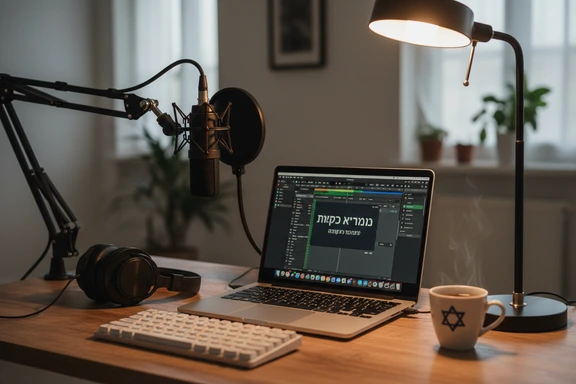
Content Creation & Voiceover
Add a native narration track to YouTube videos, podcasts, or social-media reels. Pick a voice that matches the tone — authoritative for tech reviews, conversational for vlogs — and export the file ready for any video editor.
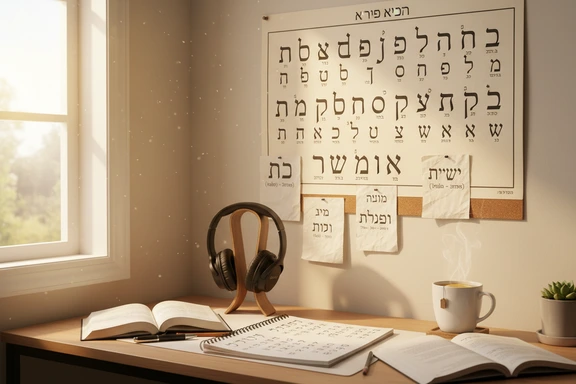
Language Learning & Ulpan Prep
Type any phrase, slow playback to 0.75x, and repeat until the stress pattern clicks. Ideal for Ulpan students drilling everyday vocabulary, diaspora learners refreshing conversational skills, and anyone preparing for Hebrew proficiency assessments.

Audiobooks & Hebrew Literature
Turn chapters by Agnon, Amos Oz, or contemporary Israeli authors into listenable audio. The studio-grade voices carry long-form narration without fatigue, and Dialog Mode lets you assign distinct speakers to each character in a story.
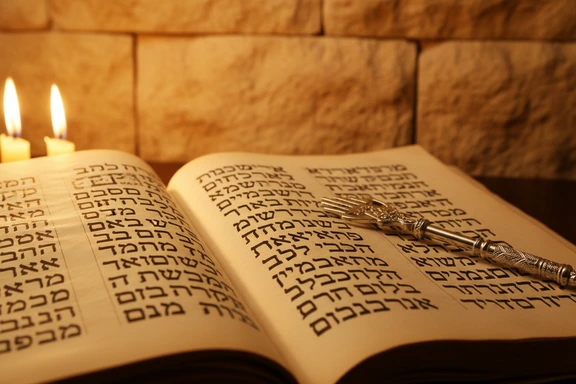
Biblical & Religious Texts
Hear Torah portions, Psalms, and liturgical passages with accurate Sephardic stress patterns. Paste a verse with Niqqud and the engine reads every vowel mark faithfully — useful for study groups, sermon preparation, and personal devotion.
How It Works
Three steps to convert text to audio. No software, no signup.
Paste or type your text
Type directly or paste up to 1,000,000 characters — pointed or unpointed. Upload DOCX, PDF, or SRT files. The editor handles right-to-left layout automatically.
Choose a voice
Pick from 91 speakers. Filter by gender and quality tier — PRO Neural or HD. Adjust speed and pitch to match the tone, from a calm narration to an energetic ad read.
Listen & download free
Click Convert to Speech, preview the result, and download as audio. First 1,000 characters free — no account needed, no watermark on any plan.
FAQ: Hebrew Text to Speech
Yes. Paste pointed text and the engine reads every Niqqud mark — Patach, Kamatz, Tsere, Segol, Chirik, Cholam, Kubutz, and Shuruk. Unpointed text is also supported: the model infers vowels from context, the same way a fluent reader handles a modern newspaper or social-media post.
You can. Paste a verse from the Tanakh or Psalms — ideally with Niqqud — and the engine follows Sephardic pronunciation norms. For study groups, sermon prep, or personal reading, slow playback to 0.75x to catch every syllable. Cantillation melody (ta'amei ha-mikra) is not applied, but the phonetic output for each word is accurate.
Yes. The REST endpoint accepts plain text or SSML, returns audio in multiple formats, and supports all 91 voices. Documentation, code samples, and a sandbox are available on the API page. A free tier is included for testing.
All voices use Modern Israeli phonology by default — final-syllable stress, merged gutturals, everyday register. For a more classical Sephardic feel, paste fully pointed text and reduce playback speed slightly; the engine will articulate each vowel mark more distinctly, approximating the measured pace of liturgical reading.
Translate your text using any tool you prefer, then paste the resulting Hebrew into the editor above. Select a voice, click Convert to Speech, and download the audio file. The engine reads whatever text you provide — it does not translate, only pronounces.