
Research papers & theses
12-page IEEE papers, dissertation drafts, lecture notes from arXiv — listen on the commute instead of skimming on a screen. Multi-column layouts and footnotes are flattened automatically before narration.
Open the editor above, click File in the toolbar to upload your PDF, and get a natural-sounding MP3 in seconds — research papers, ebooks, long-form articles, business reports. SpeechGen reads any text-based PDF aloud in 146 languages using the same engine that powers our 5,000+ built-in voices. No software to install, no sign-up for the first 3,000 characters.
Browser-based, no download. Short documents convert in seconds, full books in a couple of minutes.
In the editor above, click the File button on the toolbar and pick your PDF. The engine reads text-based PDFs (the kind exported from Word, LaTeX, InDesign, or any browser).
Choose from 5,000+ voices across 146 languages. Adjust speed and pitch, or pick a specific accent. Preview before you commit.
Audio is ready in under a minute for shorter documents, a few minutes for full books. Stream it in your account or download the MP3.
Four real workflows we see every day. Tap a card to listen — same engine, your file plugs straight into the editor above.
12-page IEEE papers, dissertation drafts, lecture notes from arXiv — listen on the commute instead of skimming on a screen. Multi-column layouts and footnotes are flattened automatically before narration.

Full-book PDFs in any language — German memoirs, Spanish thrillers, English literary fiction. Narrator voice stays consistent for hundreds of pages, no quality drop in chapter twelve.
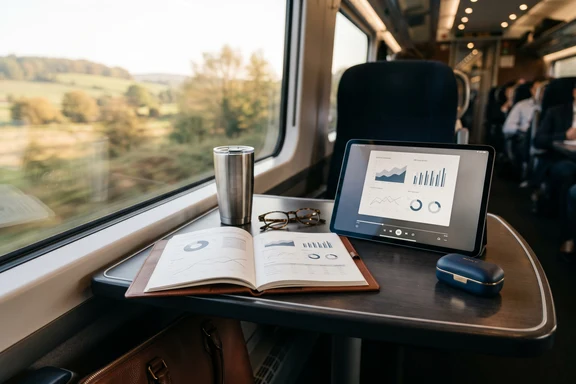
Quarterly reports, market research, board memos — turn a 40-page deck into a 25-minute MP3 to listen to on the train. Lapetus delivers a clean corporate read without sounding robotic.
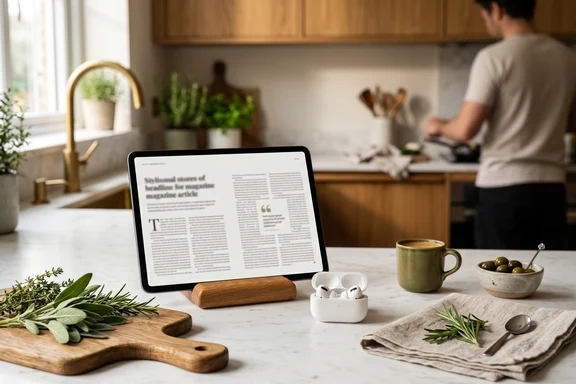
Magazine essays, Substack longreads, NYT investigations exported to PDF — turn a 30-minute read into a podcast you can listen to while cooking. Achernar HD has the warm magazine-narrator timbre.
Pro tools for full-length books:
use the <cut> tag to split a 300-page novel into chapter-by-chapter MP3s in one synthesis,
the <dialog> tag to give each character a different voice across dialogue passages,
and <break> tags for precise dramatic pauses between scenes. Each tag has its own quick guide.
Three things this tool does better than copy-pasting raw text into a generic TTS engine.
Two-column research papers, bulleted lists, headings and captions, footnotes — text reflow is structure-aware. Reading order matches the page, not random column-jumping. Header / footer / page numbers are filtered out so the narrator doesn't say "page seventeen" every minute.
A 30-page paper finishes in under a minute. 200-page books complete in 3–5 minutes. No manual chunking, no chapter splitting — upload once, get a single MP3 (or split into chapter tracks via TOC bookmarks if your PDF has them).
Documents that mix two or three languages — research papers with English abstracts and Spanish bodies, bilingual contracts, immigration forms — get language-detected and narrated in the right voice for each section. No splitting required.
Click the File button in the editor toolbar at the top of this page, pick your PDF, choose a voice and language, click Convert. MP3 lands in your account in 30 seconds for short documents and a few minutes for full books. Nothing to install.
No — the engine reads text-based PDFs only (the kind exported from Word, LaTeX, InDesign, or any browser). For image-based PDFs (scanned books, faxed reports, photos of documents), run them through any free OCR tool first — Adobe Acrobat, ABBYY FineReader, or even Google Drive's built-in OCR — to convert the pixels into a text PDF. Then upload here as usual.
Yes. Repeating headers, footers, and standalone page numbers are filtered out so the narrator doesn't read "page seventeen" every minute. Chapter titles and section headings are kept and read aloud at a natural pace.
Tables are flattened row-by-row, with column headers read once before each row. Figure / chart captions are read in line where they appear. Footnotes are skipped from the main flow and read at the end of each chapter so they don't break sentence rhythm.
No — DRM-protected and password-locked PDFs are rejected on upload for legal and security reasons. Remove the password first (any PDF tool can do this if you have the password), then upload. We can't bypass DRM.
100 pages convert in about 2 minutes (≈3 hours of MP3 audio at normal speed). 500-page books are over the 50 MB upload limit — split into 2–3 parts using any PDF tool, convert each, then concat the MP3s if you want one file.
Yes — both are built in. Wrap chapter breaks in the <cut> tag and one synthesis returns a separate MP3 per chapter. For dialogue between characters, the <dialog> tag voices each speaker with a different actor in a single audio file. Combine both for a full multi-voice audiobook.
PDF is one starting point. Use the same SpeechGen account for these too.
Convert .doc, .docx, and .rtf files. Same languages, same voices, same speed. → Open
Upload 20 seconds, get a personal voice that reads PDFs and Word docs in your own voice. 15 languages.→ Open
Type or paste any text. Adjust speed, pitch, emotion, language. 5,000+ voices available. → Open
Click File in the editor at the top of this page. First 3,000 characters free — about 5 pages of audio, no card required. After that $5+.
Convert PDF to MP3