Gujarati Text to Speech
Convert Gujarati script to natural speech — 2 native neural voices, free MP3.
Dhwani & Niranjan — 2 Native Voices for the Gujarat Diaspora
You can type ગુજરાતી on your phone, but your grandmother reads only the script. Paste the text, pick Dhwani or Niranjan, and send the audio to family in Ahmedabad within seconds. Both speakers are neural voices trained on native Indian Gujarati speech, so retroflex consonants, aspirated stops, and the characteristic anusvara come through the way a desi voice should sound, not like a robotic read-out of transliterated English.
Whether you are a heritage speaker in New Jersey reconnecting with your mother tongue, a creator in Surat recording voiceover for a food vlog, or a business partner learning key phrases for the diamond trade, this page turns any written text into natural Gujarati pronunciation you can download and reuse. The Gujarati reader supports the full script, handles compound consonants and conjuncts, and exports each result as a free audio file with no signup required.
- 2 native neural voices — Dhwani (female) & Niranjan (male)
- Full ગુજરાતી script input — no transliteration needed
- Adjustable speed & pitch
- Download MP3, WAV, OGG, FLAC
- Free — 1,000 characters, no signup
Gujarati AI Voices — Dhwani (Female) & Niranjan (Male)
Click to preview · 2 native speakers total
Dhwani (ધ્વનિ) means "sound" or "resonance" in the language itself — a fitting name for a voice that reads your text aloud. Niranjan is a traditional male name meaning "pure" or "unblemished". Both are PRO Neural speakers trained on native gu-IN recordings.
Gujarati Pronunciation — Script, Retroflex Sounds & Common Phrases
The writing system descends from Devanagari but drops the headline bar, giving each character a rounded, open shape. Below are eight examples that showcase how the text to speech engine handles the distinctive phonetics of this Indo-Aryan language.
What Makes This Language Distinctive for a Voice Engine
- Aspirated vs. Unaspirated Stops — each consonant position (ka, ga, cha, ja, ta, pa) has a plain and a breathy partner. Swapping one for the other changes the word, so the engine must produce a clear puff on the aspirated variant.
- Retroflex Series — five consonants (ટ ઠ ડ ઢ ણ) are spoken with the tongue curled back, distinct from their dental counterparts (ત થ દ ધ ન). Listeners from the Gujarat diaspora notice instantly when a synthesiser flattens both into one.
- Anusvara & Chandrabindu — the nasal dot above a character affects the vowel colour of the entire syllable. Correct nasalisation is a hallmark of native-sounding Gujarati speech.
Gujarati Script & Formatting — What the Voice Engine Handles
A few conventions you should know when preparing source text for the best audio output:
Numbers & Currency
₹1,250 reads as "ek hazaar be-so panchās rupiyā" — the Indian numeral grouping (1,25,000 instead of 125,000) is handled automatically. Decimals follow the dot notation common in Gujarat commerce.
Conjunct Consonants
Stacked or joined letter forms like શ્ર (shra) and ક્ષ (ksha) appear often in formal writing. The engine breaks them into the correct phoneme sequence rather than reading individual parts.
Dates & Time
૧૫ એપ્રિલ ૨૦૨૬ — native digits (૦-૯) and Western digits (0–9) both work. The engine reads them aloud in natural spoken Gujarati regardless of which numeral set you paste.
Formality Registers
Gujarati uses તમે (tame — polite you) vs તું (tu — informal you). The voice respects whichever pronoun you write. For customer-facing audio, stick with તમે; for family messages, તું sounds warmer.
Use Cases: Gujarati Voice in Action

Audiobooks & Gujarati Literature
Niranjan narrates classics from the Saraswatichandra tradition, setting scenes along the Sabarmati in old Ahmedabad. Paste a chapter, pick his voice, and turn any manuscript into a listenable audiobook. Listeners in the diaspora who struggle with the printed script can follow along by ear instead.
Language Learning & Pronunciation Practice
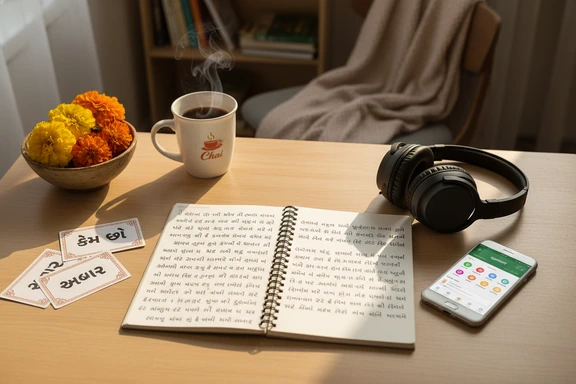
Dhwani walks heritage speakers through greetings, numbers, and everyday phrases. Slow the playback to 0.75x, repeat each line, then speed up as your ear adjusts. Ideal for second-generation children preparing for a visit to Gujarat, or for business travellers learning key courtesy phrases before meetings in Surat.
Content Creation & Voiceover
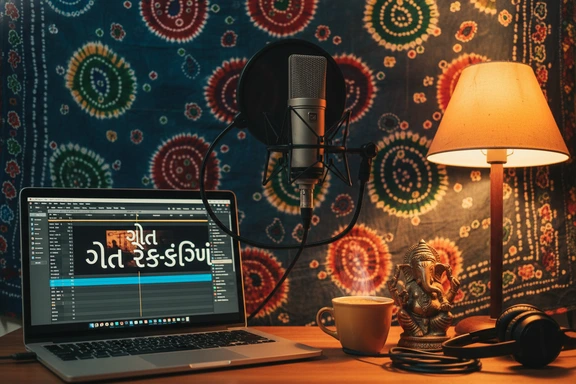
Record a Gujarati voiceover for recipe videos, Manek Chowk street-food tours, or startup explainers from Ahmedabad. Dhwani's warm tone fits casual vlogs; Niranjan lends authority to documentary-style pieces. Export the audio file and drop it straight into your video editor.

Business, Announcements & Customer Service
Banks, cooperatives, and pharmacies across Gujarat need recorded greetings and phone-menu prompts in the local language. Niranjan's clear delivery works for professional announcements — branch hours, Navratri closures, prescription reminders — while Dhwani fits a friendly customer-service line.
How It Works — 3 Steps
Turn any written text into spoken audio. No software to install, no account required.
Paste or type your Gujarati text
Open the editor above and paste ગુજરાતી script directly. The engine accepts native characters, conjuncts, and numerals. Upload DOCX, PDF, or SRT files if you prefer.
Pick a voice — Dhwani or Niranjan
Choose female or male. Filter by gu-IN in the voice catalogue. Adjust speed (0.5x to 2.0x) and pitch to match your project — slower for learning, faster for a quick message.
Listen & download free
Click Convert to Speech, preview the result, and save the audio file. First 1,000 characters free — no signup, no watermark. Share the file on messaging apps, embed it in a video, or archive it for later.
FAQ: Gujarati Text to Speech
Yes. The first 1,000 characters cost nothing — no account, no credit card, no watermark. Register a free account to unlock 3,000 characters per day for seven days. Paid plans raise the monthly limit and add extras like bulk export, but commercial use is included in every tier, free tier included.
The engine reads actual ગુજરાતી script, not Romanised spellings. If you think in English letters, use Google Input Tools or a Gujarati keyboard app first — type "kem cho" and it converts to કેમ છો on the fly. Then paste the result here and press Convert to Speech.
After generating, click Download. The file saves to your device as a standard audio format. Open any messenger — forward it as a voice note or attach it as a file. Elders who cannot read small text on a screen can listen to a message in Dhwani's or Niranjan's voice instead.
Yes. The SpeechGen REST interface accepts gu-IN text and returns audio, making it a solid Gujarati TTS backend for apps, bots, and automated pipelines. Check the documentation page for authentication details, rate limits, and code samples in Python and JavaScript.
Absolutely. This Gujarati voice generator ships a commercial licence on every tier, including the free one. Record a voiceover for a recipe channel, narrate a short story collection, or produce a podcast. The audio file has no watermark and no usage restrictions on any public platform.
gu-IN is the ISO language-region code for Gujarati as spoken in India (ISO 639-1 "gu", region "IN"). The engine handles the complete character set: 34 consonants, 12 vowel signs, anusvara (અં), visarga (અઃ), chandrabindu, conjuncts, and both native (૦-૯) and Western (0–9) digit forms.
Both are PRO Neural speakers built on recordings of native Gujarat residents. They reproduce aspirated stops, retroflex consonants, and nasalised vowels without the flat monotone you get from older rule-based engines. Speed and pitch remain adjustable, so you can fine-tune delivery for any project without losing clarity.
Yes. Paste up to 1,000,000 characters in a single session and generate the entire piece at once. Split chapters by pasting them separately if you want individual files. The output works in every major editing application and podcast host — just upload the downloaded audio.