Hindi Text to Speech
Convert Hindi Devanagari script to natural voice — 6 native voices, free MP3.
6 Native Neural Voices — Devanagari Script, Aspirated Stops & Retroflex
Hindi is the language of 600 million people and the backbone of one of the fastest-growing content markets on earth. Paste any हिंदी text above — Swara or Madhur will read it aloud in authentic Indian pronunciation, ready for audiobooks, a YouTube channel, corporate training, or a voice message to family across the world. Six native neural speakers handle Devanagari fluently: aspirated stops (ख, घ, भ), retroflex consonants (ट, ठ, ड), anusvara, chandrabindu, and the tricky schwa deletion that separates natural speech from robotic transliteration.
Whether you grew up hearing the language at home or discovered it through Bollywood, yoga, or business travel to Delhi and Mumbai — the editor above turns written हिंदी into a clean audio file in seconds. Choose a male or female speaker, adjust speed and pitch, then download. Studio-grade high-definition narration is also available through Charon IN for premium audiobook production and long-form projects.
- 6 native Hindi voices — all Neural PRO tier
- 60 total voices including cross-lingual
- Male & female — Swara (3 styles), Madhur, Ratna, Mahavir
- Speed & pitch control, Devanagari support
- Free — 1,000 chars, no signup
Hindi AI Voices — Madhur, Swara, Ratna & More
Click to preview · 6 native speakers total
Swara (स्वर — "voice, tone, musical note") supports three expressive styles: newscast for reports, cheerful for marketing, empathetic for customer service. Pick the style from the voice settings dropdown in the editor.
Madhur (मधुर — "sweet, melodious") delivers a warm narration tone suited for audiobook reading, announcements, and educational content.
Ratna (रत्न — "jewel, precious stone") carries a formal business register ideal for corporate training and e-learning modules.
Mahavir — a traditional male name meaning "great hero". Authoritative delivery for news, documentaries, and serious narration.
These are the 4 featured native speakers. Two more native voices (Chandr and Vimala) plus 53 cross-lingual speakers are available — filter by hi-IN in the voice catalogue.
Voice Styles — Swara in 3 Registers
Swara, the featured female voice, reads the same sentence in three emotional styles. Select the style from the dropdown in the editor — no markup needed.
All three samples read: "नमस्कार, स्वागत है हमारे चैनल पर।" Swara is the only voice with style support; Madhur, Ratna, and Mahavir read in their default neutral register.
Hindi Pronunciation — Devanagari Script, Retroflex & Common Phrases
Devanagari has sounds that do not exist in English. Click play to hear how the neural engine handles each one.
Use Cases: Hindi Voice in Action

Audiobooks & Hindi Literature
Madhur narrates a passage inspired by Premchand's Godaan — a village morning, oxen heading to the fields, and the scent of earth and jaggery. Indie publishers and Pocket FM creators use the same voice to turn full manuscripts into audio without hiring a studio narrator.
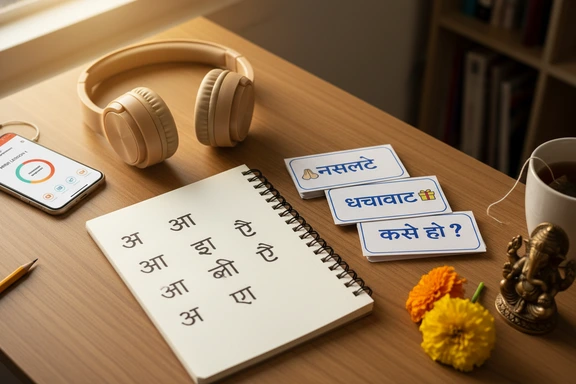
Language Learning & Pronunciation Practice
Swara walks through basic greetings and polite phrases — listen, repeat, compare. Heritage speakers who grew up abroad can reconnect with pronunciation they heard at home, while new learners pick up retroflex sounds that textbooks struggle to explain. Slow playback to 0.75x for extra clarity.
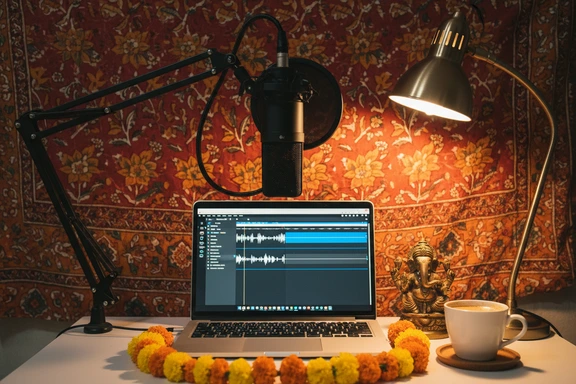
Content Creation & YouTube Voiceover
Swara voices a Chandni Chowk street-food vlog intro — walking through Delhi, sampling jalebi and chaat, inviting subscribers along. Creators paste a script, pick a speaker, and export the voiceover straight into Premiere, DaVinci, or CapCut. No microphone, no quiet room, no retakes.
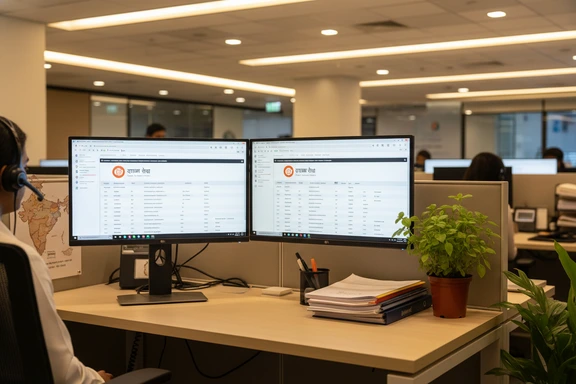
Business, IVR & E-Learning
Madhur reads an automated phone menu — account info, new-account opening, transfer to a representative — in the clear, measured tone callers expect from a bank or telecom. The same voice works for onboarding modules, government scheme announcements, and EdTech lesson narration.
How It Works — 3 Steps
No software, no signup. Paste Devanagari text and download the audio file.
Paste or type your text
Type directly in Devanagari or paste up to 1,000,000 characters. Upload DOCX, PDF, or SRT files. The editor accepts full हिंदी script — conjuncts, nukta, chandrabindu and all.
Pick a voice
Choose from 6 native speakers — filter by hi-IN. Adjust speed and pitch, then select an emotional style if the voice supports it (Swara offers newscast, cheerful, and empathetic).
Listen & download free
Click Convert to Speech, preview the result, download as an audio file. First 1,000 characters free — no account needed. No watermark on any plan.
Language Spotlight — Numbers, Dates & Honorifics
Three aspects of the language that the neural engine handles natively — and that matter when your script goes beyond basic sentences.
Indian Counting
Devanagari numerals (१ २ ३) and Arabic digits (1 2 3) both work. Counting follows the Indian system: हज़ार (hajaar = 1,000), लाख (lakh = 1,00,000), करोड़ (crore = 1,00,00,000). Paste "5 करोड़ रुपए" and the voice says "paanch karod rupaye" — not "fifty million".
Formality Levels
Three registers: आप (aap — respectful), तुम (tum — casual), तू (tu — intimate). Verb forms change accordingly: "आप कैसे हैं?" (formal) vs "तुम कैसे हो?" (casual) vs "तू कैसा है?" (intimate). The engine reads each naturally without special markup.
Script Details
The top bar (शिरो रेखा) connects letters within a word. Special marks include halant (्) for dead consonants, nukta (़) for Persian and Arabic loanwords like ज़ and फ़, anusvara (ं) and chandrabindu (ँ) for nasals. All are read correctly — no special tagging required.
FAQ: Hindi Text to Speech
Yes. The first 1,000 characters are free — no account, no card, no watermark. Create a free account and get an additional 3,000 characters a day for seven days. Paid plans start at $4.99 and include commercial rights at every tier.
The editor supports up to 30,000 characters per request. For a 10,000-word manuscript, split it into a few sections, generate each one, and merge the audio files in any editor. Long-form narration with Madhur or Swara stays consistent across sections because the voice does not drift.
The engine reads Devanagari script — paste हिंदी directly. If you write in Roman letters the output will sound like English, not the intended pronunciation. Use a free input tool like Google Input Tools or Microsoft Indic Keyboard to convert Roman letters to Devanagari before pasting.
Download the file, then attach it as a voice note or document in any messenger. The output is a standard audio file that plays on every phone — no app install needed on the recipient's side. Many diaspora families share recordings of festival greetings or bedtime stories this way.
Yes. Swara is the only speaker with style support. Open the voice settings dropdown in the editor, select a style, and the same text reads back in a different emotional register. Newscast for formal reports, cheerful for ads, empathetic for customer service — no markup, just click.
Google offers a basic neural voice through its Cloud platform, primarily for developers. SpeechGen provides six native speakers with different timbres, an in-browser editor with speed and pitch controls, emotional styles on Swara, and downloadable Hindi audio files with commercial rights included — all without writing code. If you have used other tools for text to speech in Hindi before, the difference in naturalness is audible within seconds.
hi-IN is the standard locale code for Indian Devanagari. The neural engine reads the full Unicode range: nukta (़) for Perso-Arabic loanwords (ज़, फ़, क़), halant (्) for consonant clusters, anusvara (ं), chandrabindu (ँ), and conjunct forms like क्ष and ज्ञ. Paste any well-formed Devanagari and the pronunciation follows.
Absolutely. Madhur and Ratna work well for structured lecture narration. Paste your lesson script, generate the audio, and drop it into your video editor. Commercial rights are included, so you can publish the result on any learning platform or sell it as part of a course.
Yes. The SpeechGen API accepts pronunciation markup (phonemes, pauses, prosody control) for fine-grained output — the same engine that powers the browser-based TTS Hindi editor. Documentation is at speechgen.io/en/api/ — you can integrate it into a mobile app, an interactive course, or an automated phone system.
Yes. Download the voiceover, import it into Premiere, DaVinci, CapCut, or any editor. The commercial licence covers monetised content — videos, podcasts, social reels. Pick Swara for an energetic vlog tone or Madhur for a calm documentary style.