Uzbek Text to Speech
Convert text to natural Uzbek speech — 47 AI voices, free MP3.
47 Neural Voices — Latin Script, Vowel Harmony & Turkic Intonation
Turn any Uzbek text into lifelike speech with forty-seven neural voices trained on native pronunciation. Paste Latin or Cyrillic script and the engine resolves apostrophe letters like o' and g', handles agglutinative suffix chains, and places stress on the correct final syllable. Whether you run a YouTube channel for the diaspora, build e-learning courses for schools in Tashkent, or study the language before a trip to Samarkand, each voice delivers clean Uzbek audio ready for download.
The catalogue spans twenty-six male and twenty-one female speakers — all Neural Pro tier, making this one of the largest Uzbek TTS collections available online. Adjust speed from 0.5x to 2.0x and pitch from minus twenty to plus twenty on every speaker to match your project. Text to speech Uzbek free for the first one thousand characters — no account needed.
- 47 Uzbek voices — all Neural Pro
- Latin & Cyrillic script input
- Adjustable speed & pitch
- Download MP3, WAV, OGG, FLAC
- Free — 1,000 chars, no signup
Uzbek AI Voices — Voice Samples
Click to preview · 47 Uzbek voices total
These are 4 featured speakers. Browse every Uzbek ai voice on the voices page — filter by uz-UZ to see all 47.
Uzbek Pronunciation Guide
Six words that showcase the sounds any text to speech ai Uzbek engine must handle. Click play to hear each one.
What Makes Uzbek Pronunciation Distinctive
- Apostrophe letters — o' and g' are separate phonemes in the Latin alphabet, not accent marks. The engine treats them as distinct sounds, so "ko'z" (eye) and "koz" (a different word) produce different audio.
- Vowel harmony — front and back vowels rarely mix within a word, and suffixes shift to match the root. This Turkic trait shapes the melody of every sentence.
- Final devoicing — voiced consonants at word end become voiceless: kitob sounds like [kitop], non (bread) ends with a softer [n]. The speech synthesis applies this rule automatically.
Uzbek Text Conventions for Speech Synthesis
Small formatting choices change how TTS Uzbek output sounds. Four conventions worth knowing:
Numbers
"12 500" → "o'n ikki ming besh yuz" — the engine reads numbers in standard spoken form. Spaces separate thousands in Uzbek formatting, not commas.
Currency
"50 000 so'm" → "ellik ming so'm". The national currency (UZS) is read naturally. Dollar and euro symbols also work: $15 → "o'n besh dollar".
Script Choice
Latin or Cyrillic — paste either and the engine produces the same spoken output. "Salom" and "Салом" generate identical audio, so use whichever your source text is in.
Loanwords
"futbol", "doktor", "kompyuter" — borrowed from Russian and international sources, these are read with Uzbek phonology, not the original pronunciation. Stress stays on the final syllable.
Use Cases: Uzbek Voice in Action
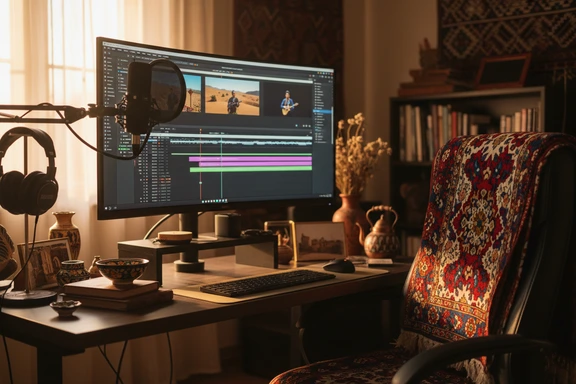
Content Creation & Voiceover
Add a native voiceover to YouTube videos, podcasts, and social reels for the Central Asian audience. The diaspora community — over two million people across Russia, Kazakhstan, Turkey, and the US — expects content that sounds authentically local. Pick a speaker, export the audio file, and drop it into any video editor.
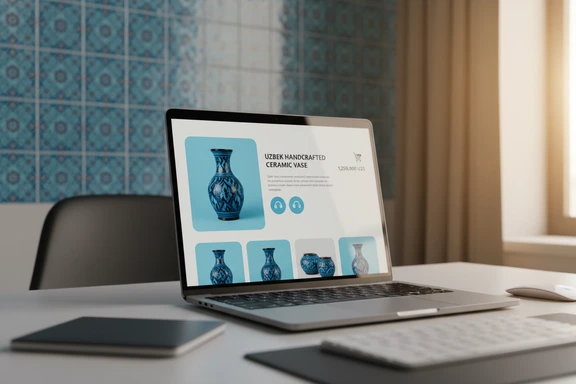
E-Commerce & Product Audio
Generate product descriptions, order confirmations, and phone-system greetings in clear spoken form. As online retail grows across Uzbekistan, audio-first experiences — voice search, automated calls, product previews — help sellers reach customers who prefer listening over reading.
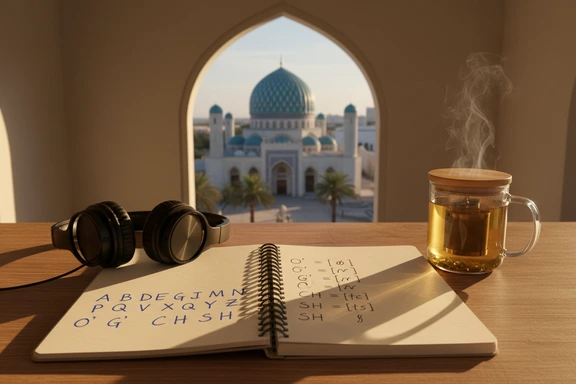
Language Learning & Pronunciation
Hear how native speakers pronounce everyday phrases before a trip to Tashkent or Bukhara. Slow the playback to half speed, repeat each sentence, and build listening confidence. Useful for self-study, classroom drills, and travel phrasebook audio.
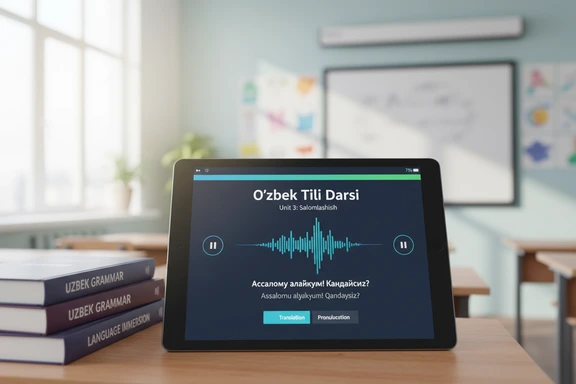
E-Learning & Education
Voice lesson modules, lecture summaries, and quiz prompts for schools and universities. Upload the script, choose a calm narrator voice, and embed the resulting audio file directly into your learning-management system. Students hear textbook material read aloud — helpful for accessibility and revision alike.
How It Works
Text to speech Uzbek in three steps. No software, no signup.
Paste or type your Uzbek text
Type directly or paste up to 1,000,000 characters. Upload DOCX, PDF, or SRT files. Both Latin and Cyrillic scripts are accepted.
Choose an Uzbek voice
Pick from 47 neural speakers. Filter by gender, then adjust speed and pitch to match your project.
Listen & download free
Click Convert to Speech, preview the result, and download as an audio file. First 1,000 characters free — no account needed, no watermark on any plan.
Language Spotlight: Uzbek
Three features of the language that shape how Uzbek speech synthesis works under the hood.
- Latin Script Transition — Uzbekistan officially switched from Cyrillic to Latin in 1992, and both scripts remain in daily use. The engine accepts either: paste "Salom" or "Салом" and get the same natural output. Handy when your source text mixes old Cyrillic documents with modern Latin copy.
- Agglutinative Grammar — like Turkish and Kazakh, the language builds words by stacking suffixes onto a root: "uy" (house) becomes "uylar" (houses), then "uylarimiz" (our houses), then "uylarimizda" (in our houses). The synthesis correctly parses each layer and applies appropriate intonation to long word forms.
- Numbers & Currency — "12 500 so'm" is read aloud as "o'n ikki ming besh yuz so'm". The engine handles the national currency and standard number formatting, including space-separated thousands and decimal commas used in Central Asian conventions.
FAQ: Uzbek Text to Speech
Forty-seven neural voices — twenty-six male and twenty-one female, all Neural Pro tier. Every speaker supports speed adjustment from 0.5x to 2.0x and pitch from minus twenty to plus twenty, so you can fine-tune each reading for your project.
The first 1,000 characters are free with no account and no watermark — try any text to voice Uzbek conversion instantly. Create a free account for additional daily characters over seven days. Paid plans raise limits further and unlock bulk export and the developer endpoint for automated workflows.
Yes. Paste text in either script and the output sounds identical — the Uzbek text reader resolves apostrophe letters (o', g') in Latin input and their Cyrillic equivalents automatically, no manual conversion needed.
Commercial use is included on every plan, free tier included. You may use any Uzbek voice ai output in videos, ads, e-learning courses, phone systems, and published products. No watermark, no royalty.