German Text to Speech
129 German AI voices — Hochdeutsch, Austrian, Swiss. Umlaute & Vorleser.
129 de-DE Voices — Hochdeutsch, Austrian & Swiss
Hear your text read in natural Hochdeutsch — 129 German AI voices with Austrian and Swiss variants. The engine handles umlauts (ä/ö/ü), long compound words, and the distinctive R-sound with authentic pronunciation. Paste your text, pick a voice, and download MP3 in seconds. No signup needed.
Voices range from formal Nachrichtensprecher clarity to conversational Deutsch. With HD and Pro quality tiers, you get studio-grade de-DE audio for voiceover, audiobook narration, language learning, and accessibility. Adjust speed and pitch to match any project — whether you need a polished business presentation or pronunciation practice for an A1–C2 exam.
- 129 de-DE voices — Standard, PRO, HD
- Hochdeutsch, Austrian, Swiss dialects
- Adjustable speed & pitch
- Download MP3, WAV, FLAC, OGG
- Free — 1,000 chars, no signup
German AI Voice — Speaker Samples
Click to preview · 129 voices total
These are 4 of the 129 available voices. Browse all on the voices page — filter by de-DE.
Voice Styles — Cheerful vs Sad
Some PRO Neural voices unlock emotional styles on top of the default neutral register. Conrad — the male voice you heard in the gallery above — also reads each line below twice, once cheerful and once sad.
Out of the 129 German voices, only Conrad currently ships with emotional styles (cheerful + sad). The remaining 128 voices read in their default neutral register, which is the right fit for most narration, e-learning, and voiceover work.
German Pronunciation — Audio Guide
Hear how pronunciation varies between standard Hochdeutsch and Austrian German. Click play to compare side by side.
What Makes German Pronunciation Unique
- Compound words — the language builds words by chaining roots: Krankenversicherung = Kranken + Versicherung (health insurance). The TTS engine places primary stress on the first element and handles word boundaries automatically.
- Umlauts (ä, ö, ü) — these modified vowels don't exist in English. ö and ü are rounded front vowels that give the language its characteristic sound. Our AI voices produce them with correct lip rounding and tongue position.
- Final devoicing (Auslautverhärtung) — voiced consonants become voiceless at the end of words and syllables. "Tag" (day) is pronounced /taːk/, "Hund" (dog) becomes /hʊnt/. This is a key marker of natural speech that our AI voices reproduce consistently.
How German TTS Handles Special Characters
When preparing text for the de-DE TTS engine, these formatting conventions affect how the engine reads your content:
Numbers
"eins Komma fünf" — This locale uses a comma as decimal separator. 1,5 reads as "eins Komma fünf" (one point five). Thousands use periods: 10.000 = zehntausend.
Currency
€ 3.499,00 → "dreitausendvierhundertneunundneunzig Euro". The Euro sign is written before the amount with a space. The engine reads it naturally in words.
Dates & Time
9. April 2026 → "neunter April zweitausendsechsundzwanzig". Dates use ordinal numbers with a period. 24h clock: 14:30 → "vierzehn Uhr dreißig".
Spelling
ä → ae, ß → ss — when umlauts are unavailable, Germans use ae/oe/ue substitutions. The TTS engine recognises both forms: "Strasse" and "Straße" produce the same pronunciation.
German Voiceover — Content & Business
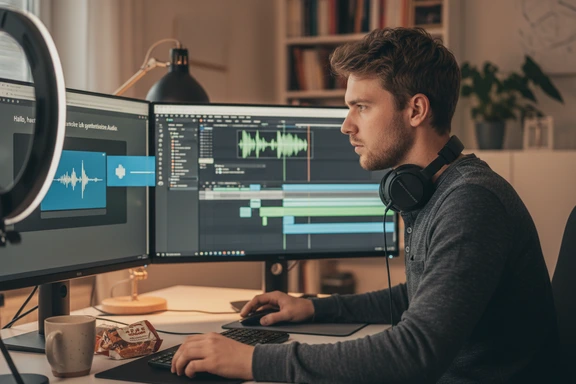
Content Creation & Voiceover
Add de-DE narration to YouTube videos, podcasts, and social media content. A natural voice gives your video a polished, professional tone — from documentary-style to casual vlog. Export as MP3 and drop into any editor.
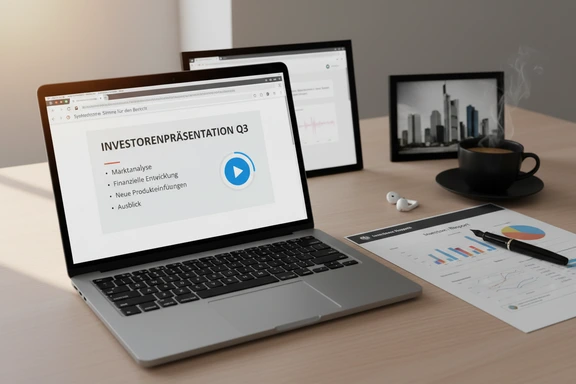
Business & Professional
Create voiceover for de-DE business presentations, investor reports, and corporate training modules. A clear Hochdeutsch speaker communicates competence and trust. Download MP3 and embed directly in PowerPoint or your LMS.
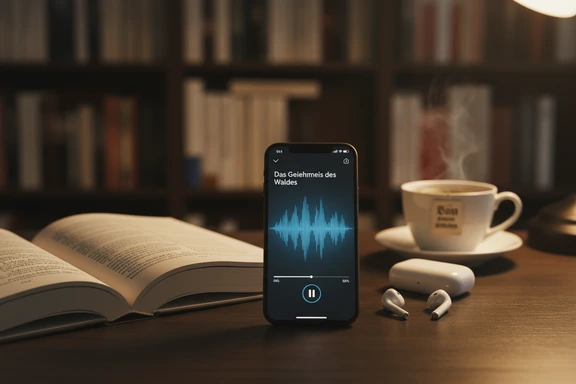
Audiobooks & Narration
Turn de-DE text into a compelling audiobook with a natural AI narrator. From Goethe to modern thrillers — pick a warm voice for literary fiction or a crisp speaker for non-fiction. Use Dialog Mode to assign different voices to characters.
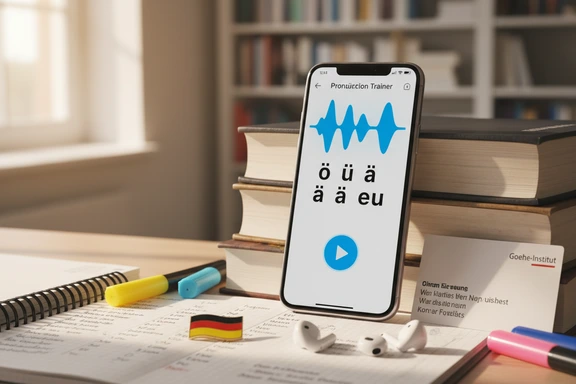
Language Learning & Pronunciation
Hear authentic de-DE pronunciation from Hochdeutsch to regional variants. Use this voice to practice listening comprehension and train your ear for umlauts, compound words, and the R-sound. Slow down playback to catch every syllable.
German Text to Speech — How It Works
Three steps to convert text to audio online. No software, no signup.
Paste or type your de-DE text
Type directly or paste up to 1,000,000 characters. Upload DOCX, PDF, or SRT files. Works with any Deutsch text — scripts, articles, dialogue, study notes.
Choose a de-DE voice
Pick from 129 de-DE voices. Filter by gender and quality tier — Standard, PRO (Neural), or HD. Adjust speed and pitch to fine-tune the pronunciation.
Listen & download free
Click Convert to Speech, preview the result, and download as MP3, WAV, or FLAC. First 1,000 characters free — no account needed. No watermark on any plan.
Frequently Asked Questions
129 de-DE voices across three quality tiers: Standard, PRO (Neural), and HD. This includes male and female voices suitable for narration, business, learning, and casual content. You can adjust speed (0.5x–2.0x) and pitch (−20 to +20) for any de-DE voice.
Yes. SpeechGen offers voices for de-DE (standard Hochdeutsch), de-AT (Austrian German), and de-CH (Swiss German). Select the dialect in the voice filter. Austrian voices use softer vowels and a different R-sound, while Swiss German has distinct rhythm and vocabulary.
Yes. Generate up to 1,000 characters of de-DE audio for free — no account, no credit card. Download your MP3 instantly. Register for a free account to get 3,000 characters daily for 7 days. Commercial use is included with every plan.
MP3 (default), WAV, FLAC, and OGG. All formats deliver the same voice quality. Every download is watermark-free and licensed for commercial use.
Yes. Select a de-DE voice (such as Conrad or Magda) and type your text in English. The German accent voice generator will read English with a German pronunciation pattern — useful for character voices, dubbing, and creative projects.