Australian Accent Generator
34 Australian English AI voices — natural Aussie accent, free MP3 download.
34 Aussie Voices — Sydney, Melbourne & Outback English
The flat vowels, rising intonation and clipped consonants that define Australian English are captured by 34 AI voices trained on native Aussie speech. The voice library includes 34 neural speakers trained on native pronunciation, covering the full range from a crisp Sydney newsreader tone to a warmer, broader delivery associated with regional and Outback speech. Pick a speaker like Duncan (Neural, male) or Elsie (Neural, female) and download the audio in seconds.
Useful for YouTube and podcast voiceover with authentic Aussie character, audiobook narration where the story is set Down Under, IELTS listening practice (the exam frequently uses this accent), and any creative project that calls for a distinctive English voice. The converter reads numbers, dates and currency in the local format — A$4.99 becomes "four ninety-nine" and dates follow the day-first convention. First 1,000 characters free, no account required.
- 34 native en-AU voices — Standard, PRO, HD
- General Australian, Broad & Cultivated variants
- Adjustable speed & pitch
- Download MP3, WAV, FLAC, OGG
- Free — 1,000 chars, no signup
Australian Accent Speaker — Voice Samples
Click to preview · 34 Australian voices total
These are 4 featured speakers. Browse all 34 on the voices page — filter by en-AU.
Australian vs British — Pronunciation Comparison
Same word, different accent. Click play to compare side by side — hear the vowel shifts, the flattened diphthongs and the characteristic Aussie rhythm.
What Makes Australian English Sound Unique
- Rising intonation (upspeak) — statements often end with a rising pitch, making them sound like questions to non-native ears. This is the single most recognisable marker of spoken AU English.
- Flat vowels and fronted diphthongs — "mate" shifts from /eɪ/ toward /æɪ/, "no" rounds to /nəʉ/. Words that sound crisp in British Received Pronunciation become broader and more relaxed.
- Non-rhotic like British — the final R drops in words like "water" and "car", but vowel quality differs. Where British RP uses /ɑː/, General Australian leans toward /ɐː/.
Australian English — Formatting & Conventions
The way you format source text affects how the voice reads it aloud. Four conventions specific to AU English:
Slang
"arvo" (afternoon), "servo" (petrol station), "brekkie" (breakfast), "Maccas" (McDonald's). The engine reads these naturally — type them as Australians write them and the pronunciation follows.
Spelling
"colour", favour, organise, realise — British-based spelling is the standard. Using "color" or "favorite" won't break anything, but the voice output subtly matches British conventions.
Dates & Time
"15/01/2026" — day-first format, read as "the fifteenth of January". 24-hour time works naturally: "14:30" reads as "fourteen thirty" or "half past two".
Currency
"A$4.99" — reads as "four ninety-nine" in Aussie dollars. Stick with the A$ symbol and the voice handles the rest. Smaller amounts: "50c" reads as "fifty cents".
How People Use Australian Accent Voice
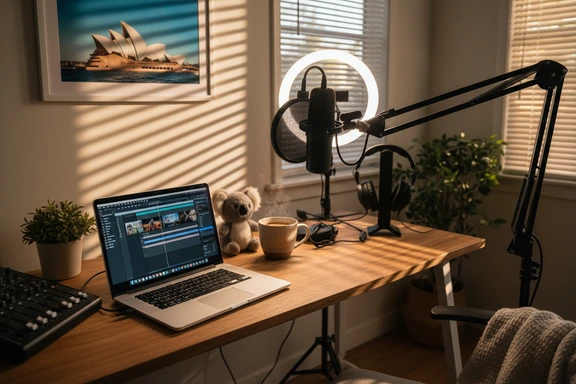
Content Creation & Voiceover
Add an authentic Aussie narrator to travel vlogs, surf edits, and food reviews — the warm, easygoing tone gives video content a genuine Down Under feel. Export the voiceover as an audio file and drop it straight into Premiere, DaVinci, or CapCut.

Audiobooks & Narration
Turn outback sagas, coastal romances, and children's bedtime stories into full audio with natural pacing. Switch between speakers for dialogue using Dialog Mode — assign a different narrator to each character, just like a cast production.

Character Voices & Gaming
Cast a laconic bushranger, a cheeky surfer, or a no-nonsense outback mechanic in your indie game, animation, or tabletop campaign. Shift pitch for villains, speed up for action — the accent gives every role instant personality.
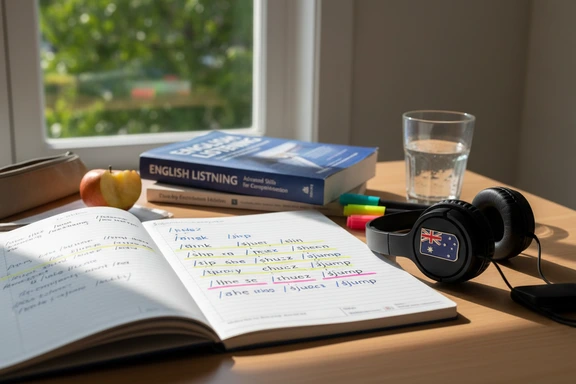
Language Learning & Pronunciation
Train your ear for the flat vowels, rising intonation, and blurred syllables that make this accent tricky for English-proficiency exam candidates. Slow playback to 0.75x, replay any phrase, and build listening comprehension before test day.
How to Generate an Australian Accent Voice
Three steps to create Aussie-accented audio online. No software, no signup.
Paste or type your text
Type directly or paste up to 1,000,000 characters. Upload DOCX, PDF, or SRT files. Works with any English text — scripts, articles, dialogue, study notes.
Choose a voice
Pick from 34 native speakers. Filter by gender and quality tier — Standard, PRO (Neural), or HD. Select en-AU to narrow down, then adjust speed and pitch to fine-tune the reading.
Listen & download free
Click Convert to Speech, preview the result, and download as MP3, WAV, or FLAC. First 1,000 characters free — no account needed. No watermark on any plan.
Frequently Asked Questions
Yes. The first 1,000 characters are free with no account, no card, and no watermark — just paste your text, generate, and download. Create a free account for an extra 3,000 characters per day for seven days. Commercial use is included in every tier.
Both accents are non-rhotic — the final R drops in words like "water" — but vowel quality differs significantly. The AU variant flattens diphthongs (/meɪt/ shifts toward /mæɪt/), adds rising intonation at the end of statements (upspeak), and uses fronted vowels like /ʉː/ in "schedule". British RP keeps more rounded vowels and a level or falling intonation pattern. Compare samples in the pronunciation table above to hear the contrast clearly.
Absolutely. Paste or type any English text into the editor at the top of this page, select an en-AU speaker from the voice dropdown, and click Convert to Speech. The result plays back instantly and you can download it as an audio file. No software installation needed.
34 voices across three quality tiers: Standard (baseline clarity), PRO Neural (warmer, more natural delivery), and HD (studio-grade, best for audiobook and broadcast work). The roster covers male and female speakers. Speed from 0.5x to 2.0x and pitch from −20 to +20 are adjustable on every voice.
It does. The IELTS listening section frequently features speakers with this accent. Generate sample dialogues, slow playback to 0.75x to catch every vowel shift, then ramp back up once you follow along. Practising with real AU voices before exam day trains your ear for the rhythms and reductions you will hear in the test recording.